

This guide explains how to integrate DHL Express with Shipi to calculate live shipping rates, generate labels, and automate DHL Express shipments.
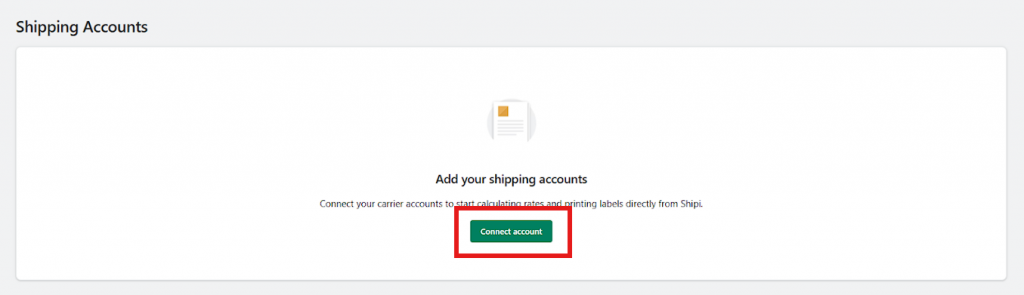
Go to Shipping Accounts
- Login to your Shipi dashboard
- Navigate to Carriers → Shipping Accounts
- Click Connect Account or Add Shipping Account
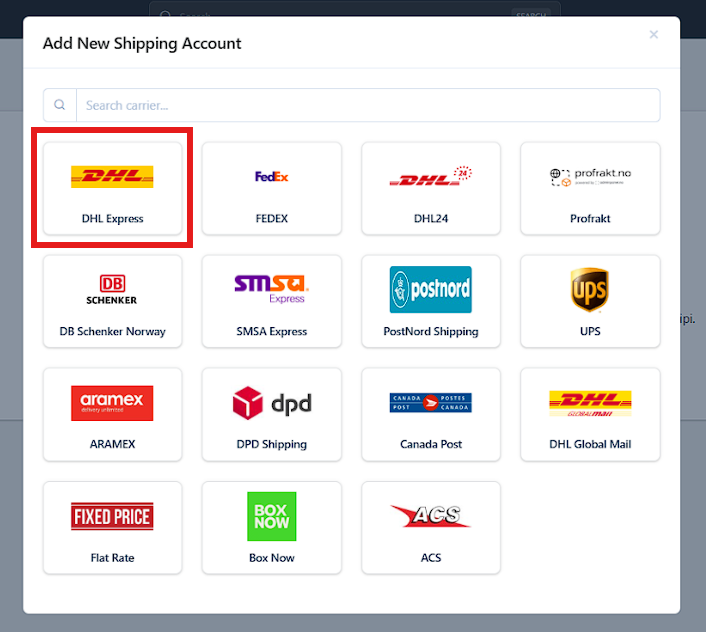
Select DHL Express
- In the Add New Shipping Account popup:
- Search for DHL, or
- Select DHL from the carrier list
- Click on DHL
Step 1: DHL Express Account Information
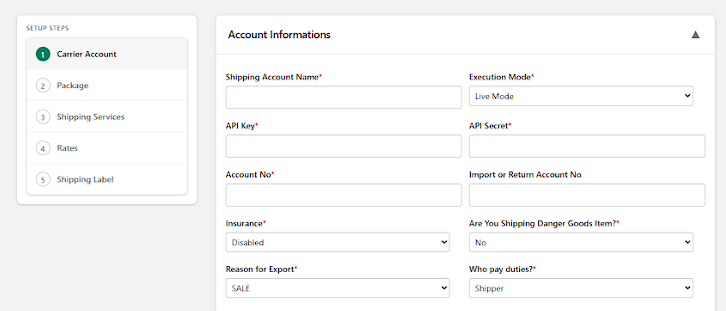
This section connects your DHL account with Shipi.
🔹 Shipping Account Name
| Value | Explanation |
|---|---|
| Any name | Internal reference only |
| Example | DHL – International, DHL – Domestic |
📌 Helps when managing multiple DHL accounts.
🔹 Execution Mode
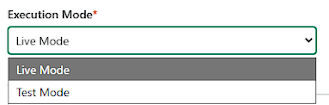
| Option | What It Means | When to Use |
|---|---|---|
| Live Mode | Real DHL shipments | ✅ Production |
| Test Mode | Testing only | ⚠️ Sandbox accounts |
📌 Always use Live Mode for real shipping.
🔹 API Key / API Secret
| Field | Explanation |
|---|---|
| API Key | Authenticates Shipi → DHL |
| API Secret | Secures communication |
📌 Provided by DHL Express developer portal.
Please find the below document to fetch the API key, API Secret, Account number from DHL Portal,
🔹 Account Number / Import or Return Account No
| Field | Explanation |
|---|---|
| Account No | Your main DHL billing account |
| Import / Return Account | Used for returns & imports |
📌 Required for rates + labels.
🔹 Insurance
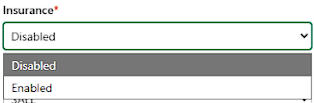
| Option | Meaning | Recommended |
|---|---|---|
| Disabled | No DHL insurance | ✅ |
| Enabled | DHL shipment insurance | ⚠️ High-value only |
🔹 Are You Shipping Dangerous Goods?
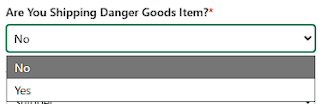
| Option | Meaning | Use Case |
|---|---|---|
| No | Normal shipments | ✅ Most merchants |
| Yes | Lithium, chemicals, batteries | ⚠️ DHL approval needed |
🚫 Enable only if DHL has approved your account.
🔹 Reason for Export
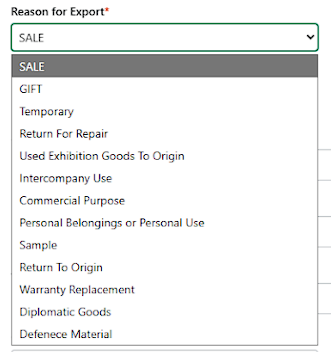
| Option | When to Use |
|---|---|
| SALE | Normal eCommerce orders |
| GIFT | Personal gifts |
| Temporary | Temporary export |
| Return for Repair | Repair shipments |
| Sample | Free samples |
| Commercial Purpose | B2B |
| Personal Belongings | Moving goods |
| Warranty Replacement | Replacements |
| Diplomatic / Defence | Government only |
✅ Most merchants: SALE
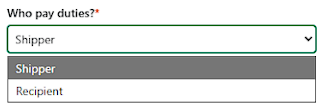
🔹 Who Pays Duties?
| Option | Meaning | Recommended |
|---|---|---|
| Shipper | Merchant pays duties | ✅ |
| Recipient | Customer pays duties | ⚠️ Delays possible |
Shipper Address (Ship From Address)
The Shipper Address defines where DHL Express will pick up the shipment and what appears as the sender address on labels and customs documents.
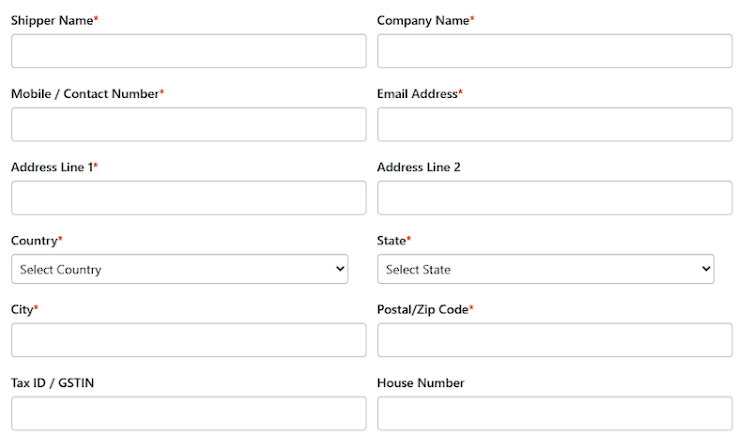
Shipper Address Fields Explained
| Field | Description | Notes |
|---|---|---|
| Shipper Name | Contact person name | Required |
| Company Name | Business or store name | Appears on label |
| Mobile / Contact Number | DHL Express pickup contact number | Must be reachable |
| Email Address | Shipment-related communication | Required |
| Address Line 1 | Primary pickup address | Required |
| Address Line 2 | Optional extra address info | Optional |
| Country | Pickup country | Must match DHL Express account |
| State | Pickup state | Required |
| City | Pickup city | Required |
| Postal / Zip Code | Area postal code | Very important |
| Tax ID / GSTIN | Tax identifier | Required for some countries |
| House Number | House / building number | Optional |
📘 Address Book (Recommended)
Shipi allows you to save multiple ship-from addresses using the Address Book.
Use this when:
- You ship from multiple warehouses
- You have dropshipping locations
- You want to switch pickup locations easily
👉 Note:
Address Book setup will be covered in a separate dedicated document.
Link this section to:
“How to Manage Ship-From Addresses in Shipi”
Step 2: Package Configuration (Important)
DHL Express shipping rates and label generation depend heavily on how your products are packed.
Before continuing, we strongly recommend configuring your Package Settings correctly.
👉 Read this guide:
How Package Configuration Works in Shipi
(Explains individual packing, weight-based packing, boxes, and real examples)
📌 Incorrect package configuration may cause: carrier rejections, wrong shipping rates, label failures
Step 3: DHL Express Shipping Services
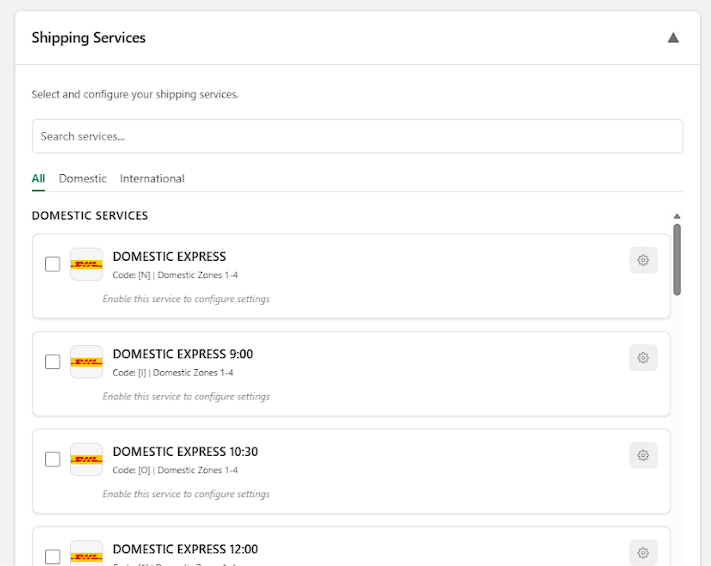
You must enable at least one service.
Below is a complete table for ALL DHL services you shared, including EPX / WPX label logic and eCommerce suitability.
🏠 Domestic DHL Services
| Code | Service Name | What It Is | Typical Use | Label Type | eCommerce Friendly |
|---|---|---|---|---|---|
| N | Domestic Express | Fast domestic delivery | Priority orders | EPX | ✅ |
| I | Domestic Express 9:00 | Before 9 AM delivery | Urgent | EPX | ⚠️ |
| O | Domestic Express 10:30 | Before 10:30 AM | Time-critical | EPX | ⚠️ |
| 1 | Domestic Express 12:00 | Before noon | Balanced speed | EPX | ⚠️ |
| G | Domestic Economy Select | Slower domestic | Cost saving | EPX | ✅ |
| H / W | Economy Select | Standard economy | Non-urgent | EPX | ✅ |
| 5 | Sprintline | Road service | Domestic bulk | EPX | ⚠️ |
| 7 | Express Easy | DHL packaging only | Documents | EPX | ⚠️ |
| S | Same Day | Same-day delivery | Emergency | EPX | ❌ |
| 9 | Europack | EU regional | Cross-border EU | EPX | ⚠️ |
| 2 | B2C | Consumer delivery | Residential | EPX | ✅ |
🌍 International DHL Services
| Code | Service Name | What It Is | Use Case | Label Type | eCommerce Friendly |
|---|---|---|---|---|---|
| D / P / U | Express Worldwide | Fast global delivery | Main intl service | WPX | ✅ |
| K | Express 9:00 | Early morning | Urgent intl | WPX | ⚠️ |
| E | Express 9:10 | Early express | Very urgent | WPX | ⚠️ |
| L | Express 10:30 | Time-definite | Premium | WPX | ⚠️ |
| M | Express 10:10 | Time-critical | Premium | WPX | ⚠️ |
| T / Y | Express 12:00 | Before noon | Balanced | WPX | ✅ |
| X | Express Envelope | Documents | Docs only | WPX | ⚠️ |
| F | Freight Worldwide | Heavy freight | Pallets | WPX | ❌ |
| V | Europack | EU shipping | EU eCom | WPX | ⚠️ |
| 3 | B2C | Intl consumer | Residential | WPX | ✅ |
| R | Globalmail Business | Mail-based | Bulk mail | GM | ❌ |
🚨 Special / Additional DHL Services
| Code | Service | Use Case | Recommended |
|---|---|---|---|
| B | Breakbulk Express | Bulk shipments | ❌ |
| J | Jumbo Box | Oversized | ⚠️ |
| C / Q | Medical Express | Medical | ❌ |
🚫 Enable only if DHL explicitly instructs you.
✅ Recommended DHL Services for eCommerce
Domestic
- Domestic Express
- Economy Select
- B2C
International
- Express Worldwide
- Express 12:00
- B2C
Service Configuration (Right-Side Config Box)
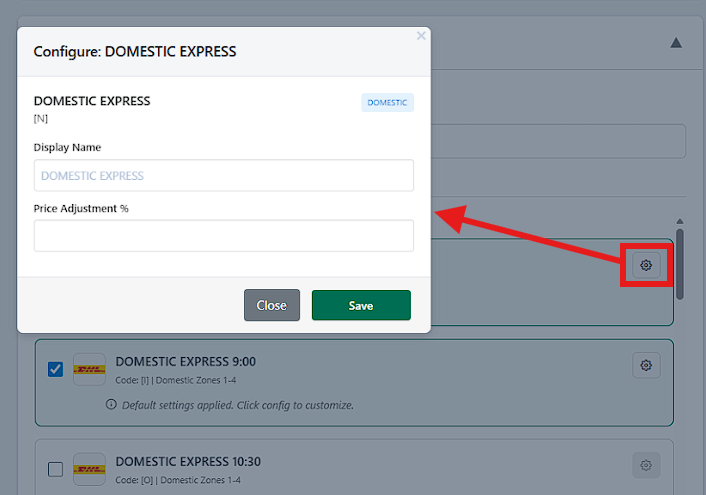
For each enabled service, Shipi allows customization.
Available Options
| Option | What It Does |
|---|---|
| Display Name | Rename service for customers |
| Price Adjustment (%) | Increase or decrease DHL Express rate |
📌 Examples:
+10%→ Add margin-5%→ Offer discount
Step 4: DHL Shipping Rates Settings
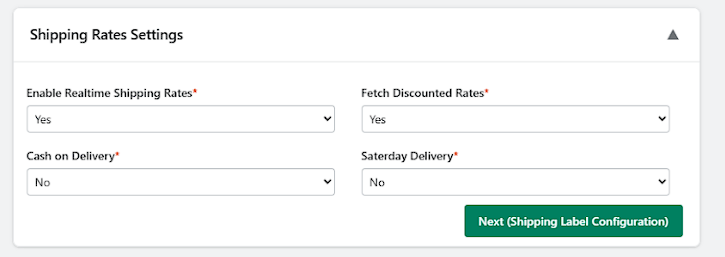
🔹 Enable Realtime Shipping Rates
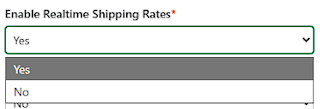
| Option | Meaning | Impact | Recommended |
|---|---|---|---|
| Yes | Fetch live DHL rates | Accurate pricing | ✅ |
| No | No live rates | Checkout fails | ❌ |
🔹 Fetch Discounted Rates
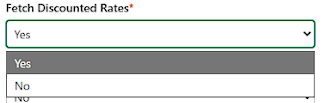
| Option | Meaning | Impact | Recommended |
|---|---|---|---|
| Yes | Uses DHL contract rates | Lower cost | ✅ |
| No | Retail rates | Higher cost | ⚠️ |
🔹 Cash on Delivery
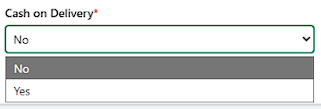
| Option | Meaning | Recommended |
|---|---|---|
| No | Prepaid shipping | ✅ |
| Yes | COD shipments | ⚠️ Region-dependent |
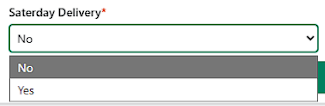
🔹 Saturday Delivery
| Option | Meaning | Recommended |
|---|---|---|
| No | Weekdays only | ✅ |
| Yes | Saturday delivery | ⚠️ Extra cost |
Step 5: DHL Shipping Label Settings
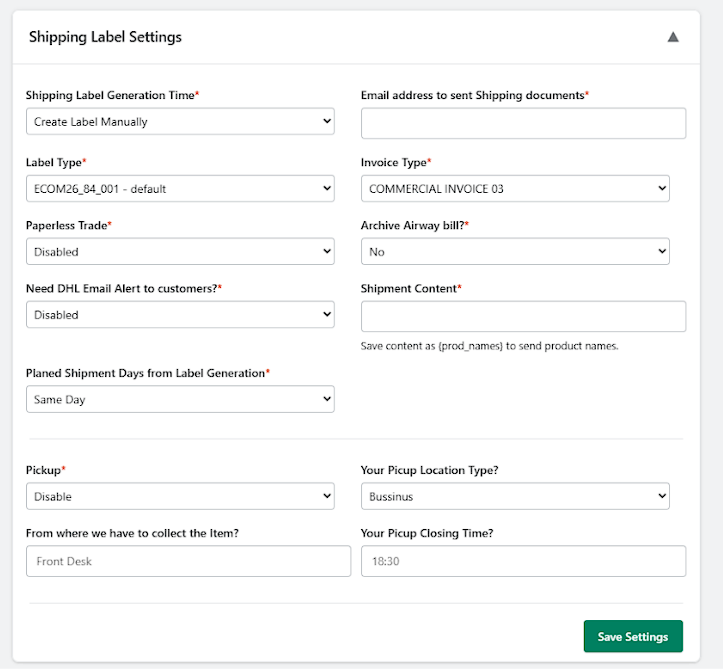
This section controls how DHL labels, invoices, notifications, and pickups behave once an order is shipped.
🔹 Shipping Label Generation Time
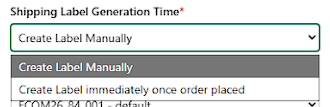
Defines when Shipi creates the DHL shipping label.
| Option | What It Means | When to Use |
|---|---|---|
| Create Label Manually | Label is created only when you click “Create Label” | ✅ Recommended for most merchants |
| Create Label immediately once order placed | Label auto-generates on order creation | ⚠️ Use only if warehouse is fully automated |
📌 Why Manual is recommended:
Prevents accidental label creation for cancelled or unpaid orders.
🔹 Label Type
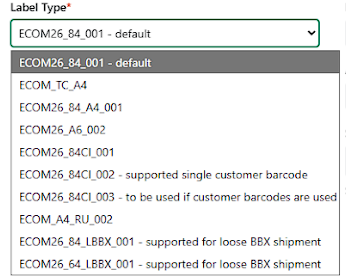
Controls DHL label format & barcode structure.
| Label Type | What It Is | When to Use |
|---|---|---|
| ECOM26_84_001 – default | Standard DHL eCommerce label | ✅ Recommended |
| ECOM_TC_A4 | A4 thermal-compatible | Special printers |
| ECOM26_84_A4_001 | A4 sheet | Office printing |
| ECOM26_A6_002 | A6 label | Small printers |
| ECOM26_84CI_001 | Customer barcode supported | Advanced setups |
| ECOM26_84CI_003 | Required when customer barcode used | DHL-approved only |
| ECOM_A4_RU_002 | Region-specific | DHL instruction only |
| ECOM26_84_LBBX_001 | Loose BBX shipments | Bulk shipments |
| ECOM26_64_LBBX_001 | Loose BBX (smaller) | Bulk shipments |
✅ For 95% of merchants:
ECOM26_84_001 – default
🔹 Invoice Type
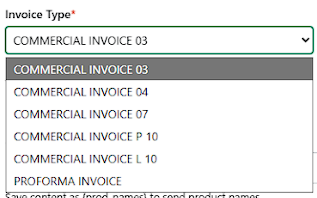
Controls commercial or proforma invoice format.
| Option | What It Means | When to Use |
|---|---|---|
| COMMERCIAL INVOICE 03 | Standard international invoice | ✅ Recommended |
| COMMERCIAL INVOICE 04 / 07 | Alternate DHL formats | DHL instruction |
| COMMERCIAL INVOICE P10 | Paper variant | Rare |
| COMMERCIAL INVOICE L10 | Local variant | Rare |
| PROFORMA INVOICE | No sale involved | Samples / gifts |
📌 eCommerce rule:
Use Commercial Invoice for all paid orders.
🔹 Paperless Trade
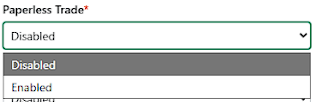
Controls electronic customs documents.
| Option | What It Means | When to Use |
|---|---|---|
| Disabled | Physical documents attached | ✅ Default |
| Enabled | Electronic customs docs | ⚠️ Requires DHL approval |
🚫 Enable only if DHL has activated Paperless Trade for your account.
🔹 Archive Airway Bill
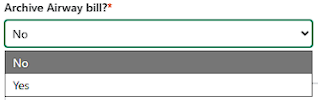
Controls whether DHL stores airway bill records.
| Option | What It Means | Recommended |
|---|---|---|
| No | No archival | ✅ |
| Yes | DHL archives AWB | Optional |
📌 Mostly used for compliance-heavy businesses.
🔹 Need DHL Email Alert to Customers?
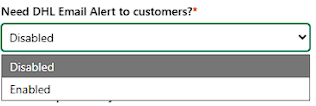
Controls DHL shipment notifications to customers.
| Option | What It Means | When to Use |
|---|---|---|
| Disabled | Shipi / store handles emails | ✅ Recommended |
| Enabled | DHL sends tracking emails | Optional |
📌 Avoid duplicate emails if your store already sends tracking updates.
🔹 Shipment Content
Controls what DHL sees as shipment description.
| Value | Meaning |
|---|---|
{prod_names} | Sends product names |
| Custom text | Static description |
✅ Recommended: {prod_names}
Helps customs & reduces clearance delays.
🔹 Planned Shipment Days from Label Generation
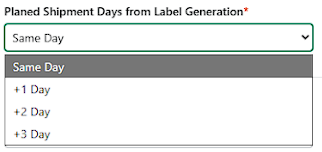
Defines when DHL should consider the shipment date.
| Option | Meaning | When to Use |
|---|---|---|
| Same Day | Pickup same day | ✅ |
| +1 Day | Pickup tomorrow | Use if cutoff missed |
| +2 / +3 Day | Delayed pickup | Rare |
🚚 Pickup Settings
🔹 Pickup
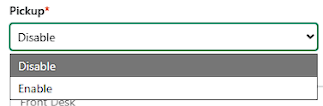
Controls whether DHL pickup is requested.
| Option | What It Means | Recommended |
|---|---|---|
| Disable | Manual pickup / drop-off | ⚠️ |
| Enable | DHL comes to collect | ✅ |
🔹 Your Pickup Location Type
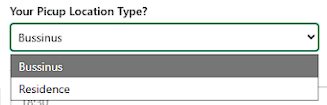
Defines pickup location category.
| Option | Meaning | Use Case |
|---|---|---|
| Business | Warehouse / office | ✅ |
| Residence | Home pickup | Small sellers |
🔹 From Where We Have to Collect the Item?
Specifies collection point inside location.
| Example | Meaning |
|---|---|
| Front Desk | Office reception |
| Warehouse Gate | Warehouse pickup |
| Security Desk | Gated premises |
📌 Helps DHL driver find package faster.
🔹 Your Pickup Closing Time
Defines latest time DHL can collect packages.
| Example | Meaning |
|---|---|
| 18:30 | Pickup before 6:30 PM |
📌 Must match your actual working hours.
If required support – contact us on below link – https://myshipi.com/support