

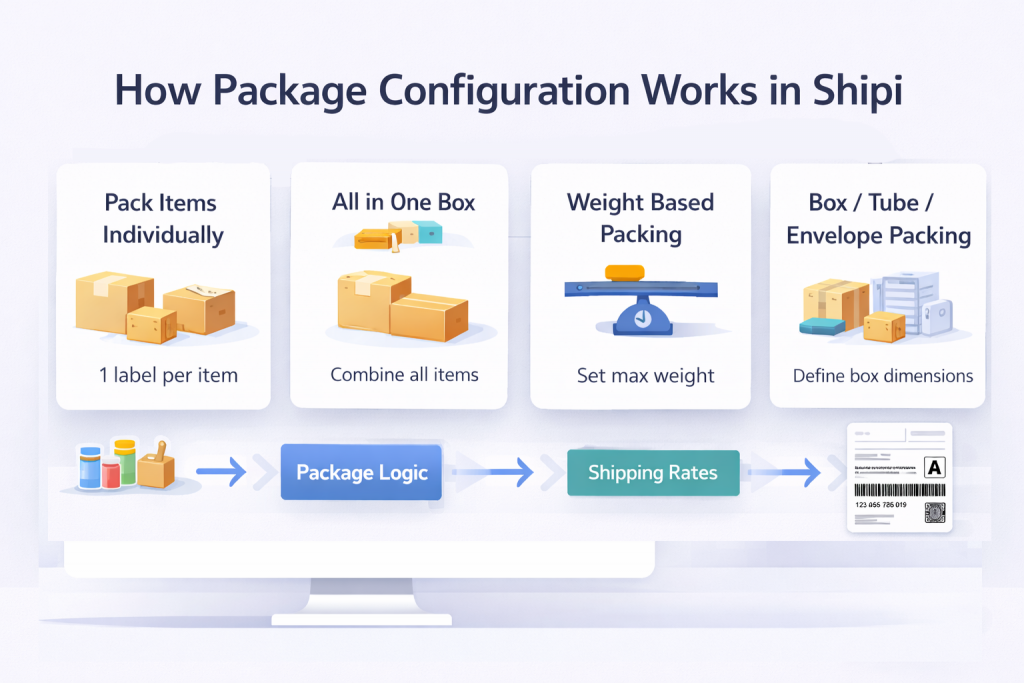
Package configuration tells Shipi how to group products into packages before sending data to shipping carriers.
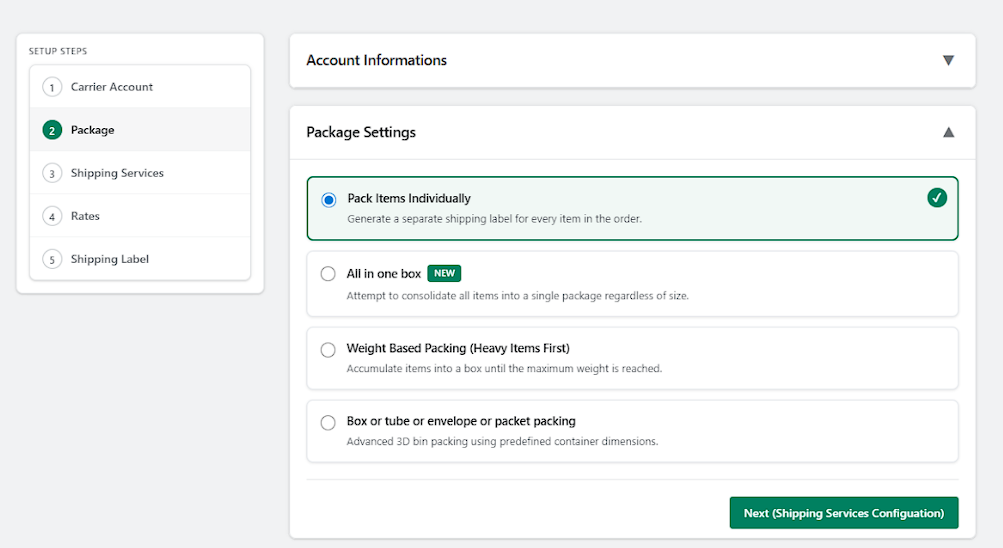
This directly affects:
- Shipping rates
- Number of labels generated
- Pickup weight limits
- Carrier acceptance
📌 Wrong package settings = wrong rates or label failures
🔹 Pack Items Individually
Each product is shipped as a separate package.
| Option | Explanation |
|---|---|
| What this does | Generates one shipping label per product |
| How it works | Every item becomes its own package |
| Labels generated | One label per item |
| Best for | Fragile, expensive, or large products |
| Recommended | ⚠️ Use carefully |
✅ Example
You sell:
- 1 Laptop
- 1 Monitor
Shipi creates:
- 📦 1 box → Laptop
- 📦 1 box → Monitor
➡️ 2 labels generated
⚠️ When NOT to use
- Clothing
- Small items
- Multiple low-cost products
🔹 All in One Box (NEW)
Attempts to put all items into one package.
| Option | Explanation |
|---|---|
| What this does | Combines all items into one box |
| How it works | Ignores individual item size |
| Labels generated | One label |
| Best for | Light & small items |
| Recommended | ⚠️ Use with care |
✅ Example
You sell:
- 3 T-shirts
- 1 Cap
Shipi creates:
- 📦 1 box → All items
➡️ 1 label generated
❌ Risk
- If combined weight exceeds carrier limit
- If box size is unrealistic
🔹 Weight Based Packing (Heavy Items First)
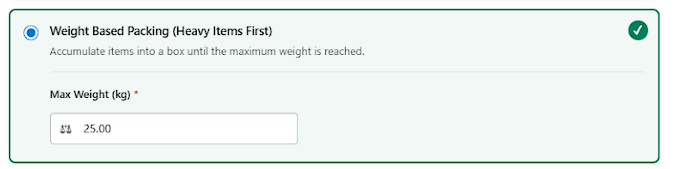
Automatically packs items until a max weight is reached.
| Option | Explanation |
|---|---|
| What this does | Groups items by weight |
| Required field | Max Weight (kg) |
| Logic | Creates new box when weight exceeds limit |
| Best for | Mixed-size items |
| Recommended | ✅ Yes (Smart choice) |
⚙️ Configuration Field
| Field | Meaning |
|---|---|
| Max Weight (kg) | Maximum allowed weight per package |
✅ Example
Max Weight = 25 kg
Order:
- Item A → 10 kg
- Item B → 8 kg
- Item C → 9 kg
Shipi creates:
- 📦 Box 1 → A + B (18 kg)
- 📦 Box 2 → C (9 kg)
➡️ 2 labels generated
🔹 Box / Tube / Envelope / Packet Packing (Advanced)
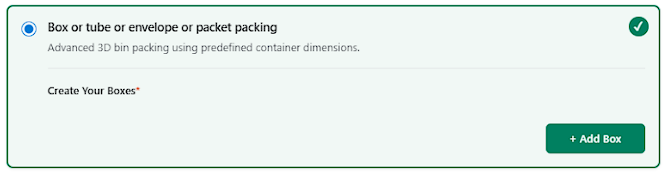
Advanced 3D packing using predefined container dimensions.
| Option | Explanation |
|---|---|
| What this does | Uses real box dimensions |
| How it works | Matches products to boxes |
| Labels generated | Based on packing result |
| Best for | Professional warehouses |
| Recommended | ⚠️ Advanced users |
🔹 Create Your Boxes
You must define your packaging containers.
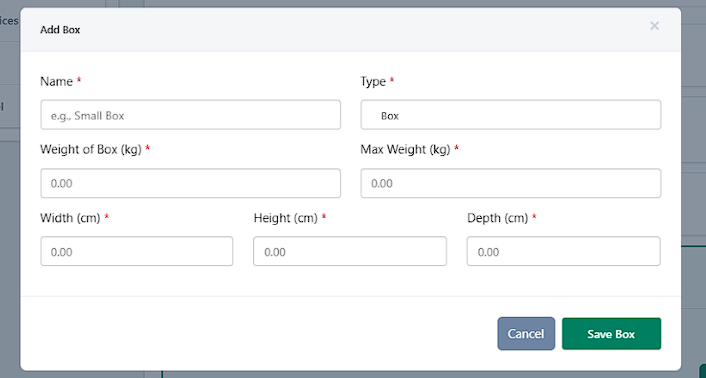
Box Fields Explained
| Field | What It Means |
|---|---|
| Name | Internal reference (e.g. Small Box) |
| Type | Box / Tube / Envelope / Packet |
| Weight of Box | Empty box weight |
| Max Weight | Maximum load allowed |
| Width | Box width (cm) |
| Height | Box height (cm) |
| Depth | Box depth (cm) |
✅ Example Box Setup
Small Box
- Type: Box
- Dimensions: 10 × 10 × 10 cm
- Box Weight: 5 kg
- Max Weight: 10 kg
Shipi will:
- Try to fit products into this box
- Create additional boxes if needed
✏️ Edit Box
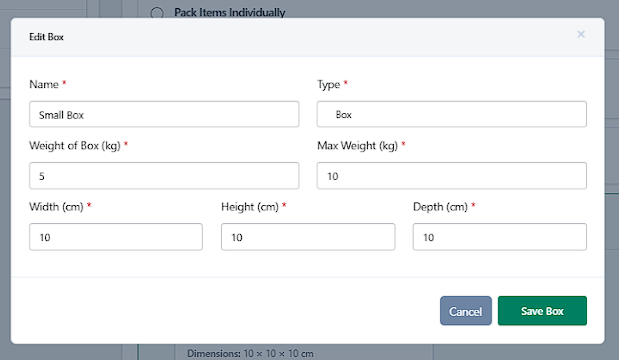
Allows you to:
- Update dimensions
- Change max weight
- Rename box
📌 Useful when packaging changes.
🗑️ Remove Box
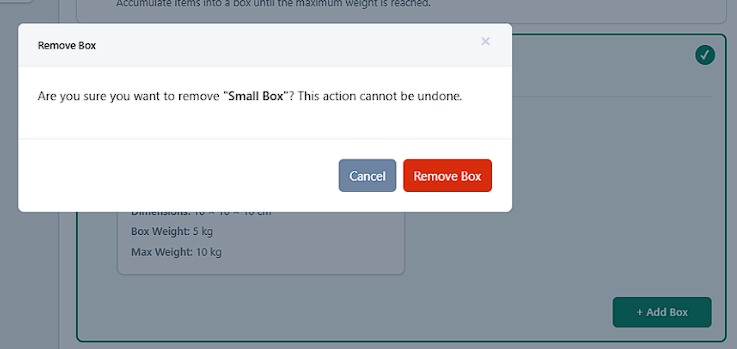
| Action | Impact |
|---|---|
| Remove box | Deletes container permanently |
| Warning | Cannot be undone |
📌 Removing a box may affect existing orders.
✅ Recommended Package Setup (90% of Merchants)
| Business Type | Best Option |
|---|---|
| Clothing / accessories | Weight Based Packing |
| Electronics | Pack Items Individually |
| Small products | All in One Box |
| Warehouse operations | Box / Tube Packing |