
Shipi Resources
Shipi Resources
Shipi Resources
post

[POSTNORD] Unable to allocate id for this basicServiceCode: 18, from country: XX, to country: XX and customer number: XXXXXXX |

The error: Unable to allocate id for this basicServiceCode: 18from country: XXto country: XXcustomer number: XXXXXXX means PostNord does not support that service for the route you are trying. 1️⃣ What service code 18 means 18 = PostNord Parcel (B2B). This service is mainly used for business shipments within supported PostNord countries (Nordics / Europe). […]
Read more
Box now locker setup
post

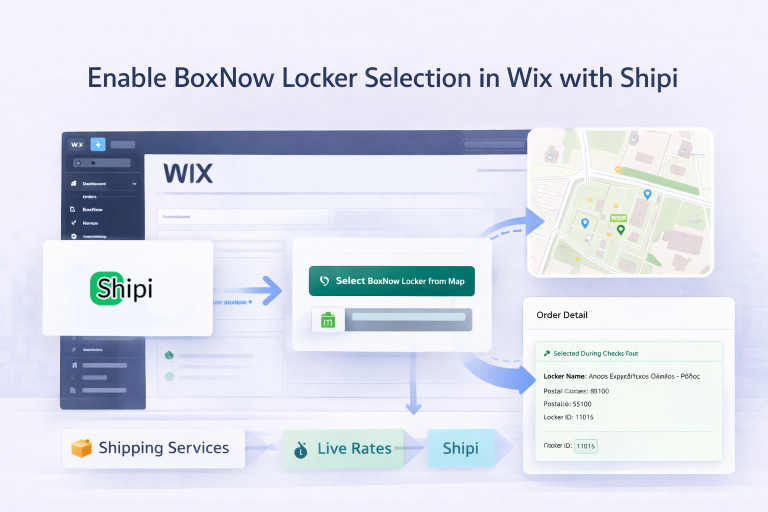
How to Enable BoxNow Locker Selection in Wix (Shipi)

This guide explains how to enable BoxNow Locker Map selection in your Wix store using Shipi. After completing this setup: What This Feature Does When enabled: No manual copying required. Step 1: Enable BoxNow Checkout Element in Wix First, you must allow Shipi to inject the locker selector into your checkout. Go to: Wix Admin […]

Read more
post

API Documentation: Shipi API Overview

The Shipi API v1 provides a modern RESTful interface for managing your entire shipping workflow programmatically — shipments, addresses, carriers, account info, and analytics. Use it to build custom integrations, dashboards, or AI-powered shipping assistants. Base URL All v1 endpoints live under the /api/v1/ path. The existing endpoints (Create Shipment, Get Rates, Track) remain at their original paths and […]

Read more
post

API Documentation: Shipi Management

This page covers the remaining v1 API endpoints: Carrier Accounts, Account Info, Shipping Statistics, and Tracking URL. Authentication required for all endpoints except Tracking URL. See the API Overview for authentication details. Carrier Accounts List your configured shipping carrier accounts. This shows which carriers you have set up (FedEx, UPS, DHL, etc.) along with the shipper address configured for each account. Security […]

Read more
post

API Documentation: Address Book

The Address Book API lets you manage saved shipper and receiver addresses. Save frequently used addresses and reuse them when creating shipments — no need to type the same address every time. Authentication required. All requests need your integration_key. See the API Overview for details. Endpoint Use the action parameter to specify the operation: list, get, add, edit, or delete. 1. List Addresses Get all saved addresses, optionally […]

Read more
post

API Documentation: How to Create Shipments with the Shipi API?

The Create Shipment endpoint lets you push orders into Shipi and optionally generate shipping labels automatically. Use it to integrate multi-carrier shipping into any custom platform, ERP, or application. Base URL Authentication Every API request requires two credentials sent in the request body: The Create Shipment endpoint lets you push orders into Shipi and optionally generate shipping labels automatically. […]

Read more
post

API Documentation: Tracking

The Track Shipment endpoint returns real-time tracking events for any shipment created through Shipi. Use it to build custom tracking pages, send status notifications, or display delivery updates in your application. Base URL Authentication No authentication required. The tracking endpoint is public — it looks up the shipment by tracking number and uses the stored carrier credentials to […]

Read more
post

How to Configure DHL24 in Shipi

This guide explains how to integrate DHL24 with Shipi to calculate live shipping rates, generate labels, and automate DHL24 shipments. Go to Shipping Accounts Select DHL24 Step 1: DHL24 Account Information This section connects your DHL24 account with Shipi. 🔹 Shipping Account Name Field Description What this is Internal name for your DHL24 account Example […]

Read more
post

How to Configure UPS in Shipi

This guide explains how to integrate UPS with Shipi to calculate live shipping rates, generate labels, and automate UPS shipments. Go to Shipping Accounts Select UPS Step 1: UPS Account Information This section connects your UPS account with Shipi. 🔹 Shipping Account Name Value Explanation Any name Internal reference only Example UPS– International, UPS – […]

Read more
How to Configure DHL Express in Shipi
post

How to Configure DHL Express in Shipi

This guide explains how to integrate DHL Express with Shipi to calculate live shipping rates, generate labels, and automate DHL Express shipments. Go to Shipping Accounts Select DHL Express Step 1: DHL Express Account Information This section connects your DHL account with Shipi. 🔹 Shipping Account Name Value Explanation Any name Internal reference only Example […]

Read more